How to cancel Fortnite Crew
Find who bills Fortnite Crew, stop the next renewal and check it worked. Get help with Game Pass bundles and explain which outfits and rewards your child keeps.
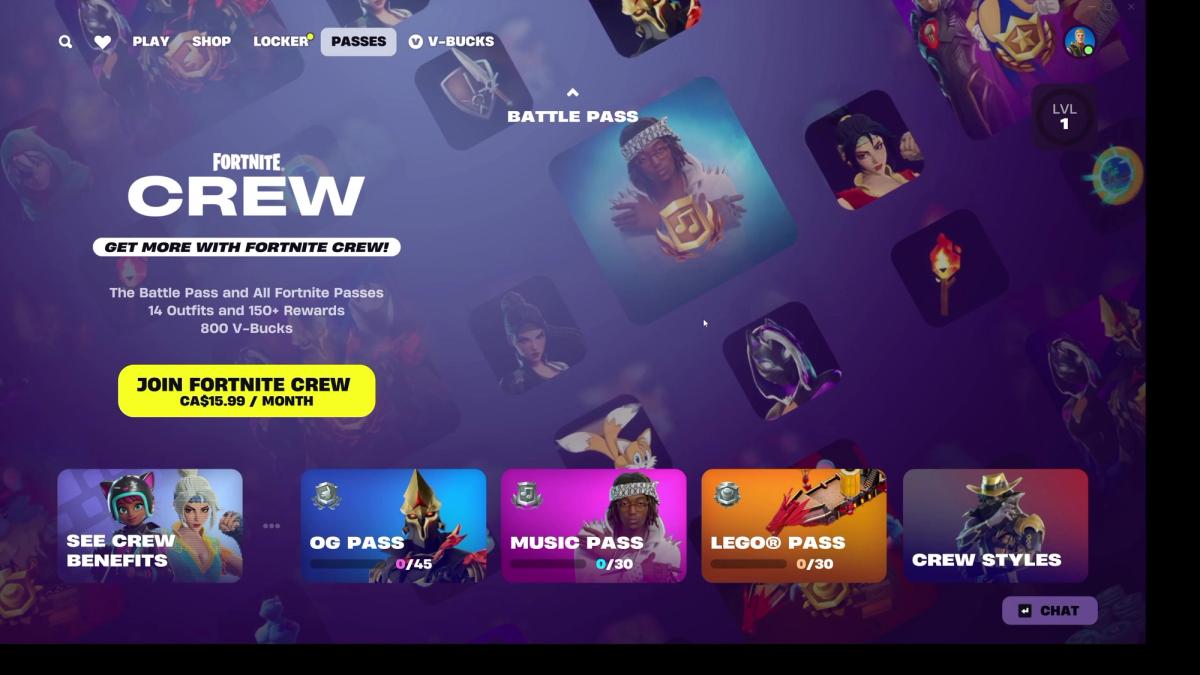
Use your receipt to find the seller, turn off renewal there and save the confirmation and end date. Outfits already received stay after ordinary cancellation; unfinished paid rewards may need active Crew.
- Follow the receipt, even if your child now plays on another device.
- Check that renewal is off and save the end date.
- Check whether Crew already comes with Game Pass Ultimate.
- What to do now
- Keep the receipt open, sign into the matching account and follow that seller’s cancellation route.
- Should I worry?
- You can stop future payments without deleting the account. Check that renewal is off; an empty page or a deleted game doesn’t confirm cancellation.
- Settings that matter
- Renewal status and the end date show whether cancellation worked. Purchase approvals are a separate choice.
- If they’re asking because…
- they’re worried about losing outfits, explain what they already keep and check which unfinished rewards need the subscription.
On this page
To stop the next Fortnite Crew charge, turn off renewal with the company taking the payment. Start with your receipt or Epic’s Subscriptions page, then follow the matching route below. Finish the confirmation prompts and save the date the membership ends.
Crew is a paid membership that renews each month. It includes V-Bucks, Fortnite’s spending currency, and access to passes, sets of rewards your child earns through play. You can cancel the membership without deleting their Fortnite account.
Which account is charging you?
This part can be confusing: the device your child plays on now may not be the one you subscribed through. If they moved from PlayStation to a computer, PlayStation may still be taking the payment. Look at the purchase email or statement for the seller, account and renewal date. Epic’s Crew terms explain how billing works.
If you have several children or accounts, keep the receipt open while you work. An empty subscription page may mean you’re in the wrong account or looking with the wrong seller. It doesn’t necessarily mean the payments have stopped.
Use the route for your billing provider
Find the company named on your receipt. You only need its route.
Epic Games
Open Epic Subscriptions, find Crew and choose its Manage Subscription or cog option. Complete the cancellation prompts. For an Epic-billed membership, you can also use Fortnite’s Passes → Manage Subscription → Cancellation Info → Cancel Subscription route.
Microsoft / Xbox
Open Microsoft Services & subscriptions, find standalone Fortnite Crew, select Manage and turn off recurring billing. If you see Game Pass Ultimate instead, check the bundle explanation below.
PlayStation
On PS5, open Settings → Users and Accounts → Account → Payment and Subscriptions → Game and App Services → Fortnite → Fortnite Crew, then turn off auto-renewal. On PS4, use Settings → Account Management → Account Information → Services List → Fortnite → Fortnite Crew → Turn Off Auto-Renew. Epic’s Crew cancellation instructions cover both consoles. If you prefer to do it in a browser, use PlayStation’s web subscription route.
Nintendo
Open Nintendo’s subscription page using the Nintendo Account that paid, then turn off Crew’s automatic renewal. On Switch, look under Nintendo eShop → account icon → Your Subscriptions.
Apple
On your iPhone or iPad, open Settings → your name → Subscriptions → Fortnite Crew → Cancel Subscription, then confirm. Apple’s guide also helps you find a missing subscription or identify which Apple Account paid.
ONE store
If your receipt names ONE store, open its app and use My → Settings → Subscription → Fortnite → Cancel Subscription → Schedule Cancellation.
Nintendo’s US subscription terms say to turn off renewal at least 48 hours before the period ends to avoid the next payment. Check the terms for your account’s region and give yourself some time before the displayed expiry day.
What if Crew comes with Game Pass Ultimate?
Crew currently comes with Xbox Game Pass Ultimate, Microsoft’s wider games subscription. If that’s how your family gets it, you may not have a separate Crew payment to stop. Check your receipts and subscriptions first. The current Crew page lists the benefit.
Turning off Ultimate renewal affects the whole subscription, so check what else your family uses before cancelling it. If your aim is to stop a Crew bill, first check whether there is one. If you want to stop Fortnite access, use the account controls for that. Microsoft’s Crew and Game Pass FAQ explains the bundle.
Will my child lose their outfits or Battle Pass?
With ordinary cancellation, the items and V-Bucks your child has already received stay on their account. That includes outfits, often called skins, which change how their character looks. A refund or payment reversal is a different situation. The Crew cancellation terms explain what stays.
Unfinished passes take a little more explaining. Premium rewards are the paid part of a pass. For Crew subscriptions started or restarted from 1 December 2024, claiming further premium Battle Pass rewards through Crew requires an active membership. Cancelling renewal leaves that access in place until the current billing period ends. Music, LEGO and newer passes also require active Crew access. Epic’s pass-access explanation covers the details.
So your child can keep an outfit they’ve already claimed, while being unable to claim the next paid reward after Crew expires. Check whether you bought a pass separately, and whether that purchase was refunded when Crew started, before telling them which unfinished rewards they can still get.
A useful way to put it is: “The outfits you've already received stay. We are stopping the next payment. Let's check which unfinished rewards depend on the subscription before it ends.”
How do I know it worked?
After confirming, go back to the subscription details. Look for renewal being off and a date when access ends. Save that screen or the confirmation email with the account and seller’s name. It may still say “active” for the rest of the month you’ve paid for, so that word alone doesn’t tell you whether another charge is coming.
If the cancellation option is missing, check the receipt and account again, then use the billing company’s support. Epic’s cancellation help links to console support too. Deleting the game or its icon won’t cancel the subscription.
If you also want an earlier payment back, that needs a separate request. For a charge made without permission, use Epic’s unrecognised-charge help or the seller’s support. Keep the receipt and cancellation confirmation together so you can show which payment you mean.
Official instructions checked 19 October 2026. MPC hasn’t completed these cancellations on a test account. Menus can vary by device and region; the linked provider guides are there if yours looks different.
Sources and image credits
Questions parents ask
Will my child lose outfits they’ve already received?
Ordinary cancellation leaves those items on the account. Access to further paid pass rewards through Crew can end when the subscription expires. A refund or payment reversal is a different situation.
Why can’t I find the Crew subscription?
Check the seller and account on your receipt, including whether Crew comes through Game Pass Ultimate. If you still can’t find it, use the billing company’s support.
Can I cancel inside Fortnite?
Yes, if Epic bills the membership. Use the Passes cancellation route. If another company bills you, follow that company’s process.
What this guide is built on
- websiteCover screenshot: Shannon / MPC, 25 October 2026Cover: Crew's monthly offer in Shannon's PC session, 25 October 2026 at 07:39. Screenshot: Shannon / MPC. Historical price and benefits; no subscription or cancellation was tested.